
MainFrameWork
One control panel for your entire Framework system — keyboard, LED matrix, and system telemetry, unified.
Stop juggling QMK Configurator, the browser-based LED matrix tool, and Task Manager in three different tabs. MainFrameWork puts LED matrix drawing, keyboard RGB lighting, and live hardware monitoring in one native desktop app — with keymap remapping and full system health access catching up next.
Pre-release · GPLv3 Community Edition · Windows & Linux, built for Framework systems
Framework gave you a machine you can take apart. It didn't give you one app to run it.
Remap a key and you're in QMK Configurator. Draw on the LED matrix and you're in a browser tab talking to WebSerial. Check your fan curve and you're digging through vendor tools that half-support the hardware. None of it talks to the other.
MainFrameWork is the one app that actually knows what's plugged in.
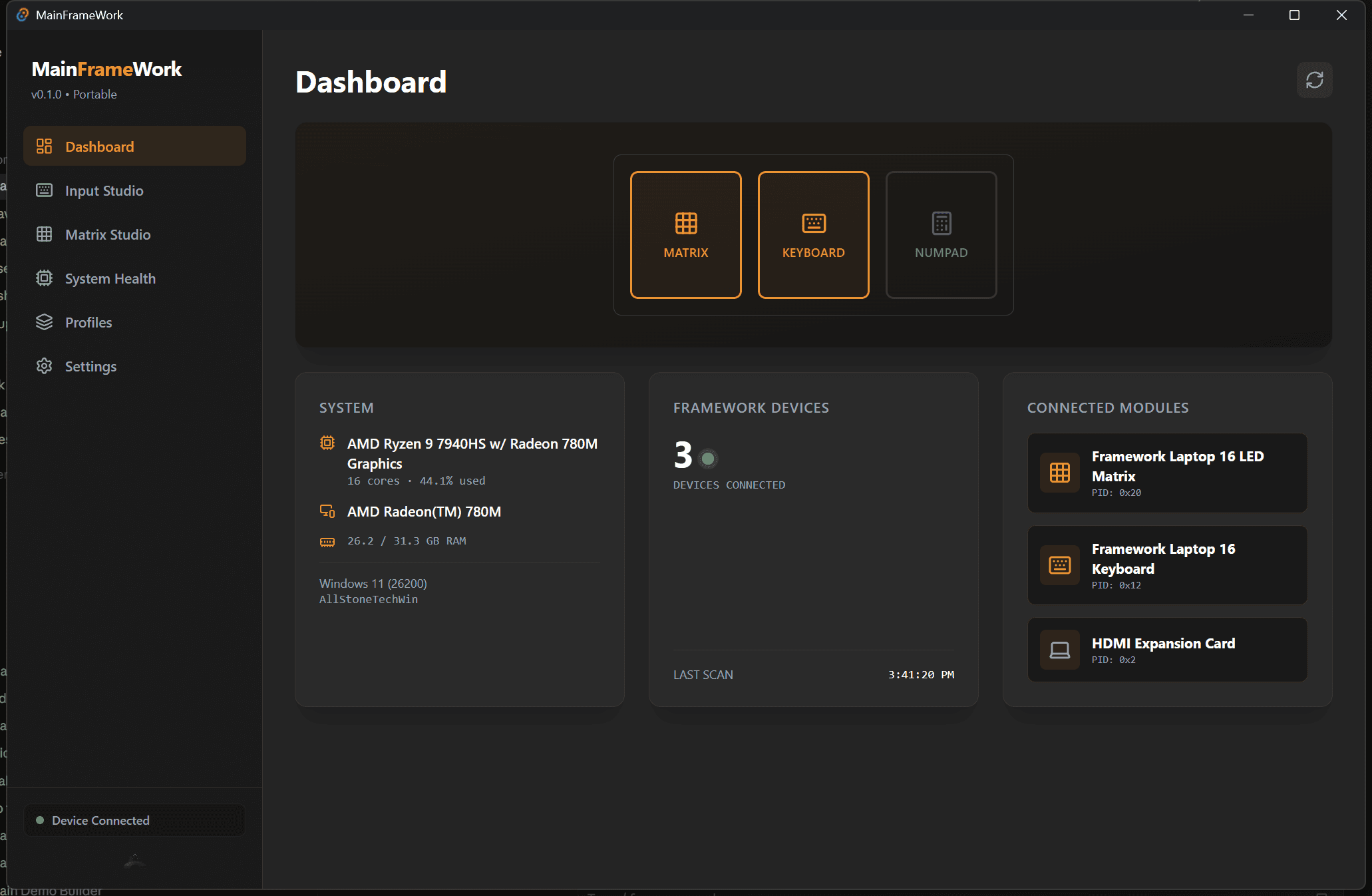
It knows what's plugged in before you ask.
Open MainFrameWork and the Dashboard reads your CPU, GPU, and RAM, and scans every Framework module on the bus by vendor/product ID — LED Matrix, Keyboard, HDMI expansion card, whatever you've got racked in. The sidebar's connection indicator rechecks every few seconds after that, so a mid-session plug or unplug shows up there without a restart — reopen the Dashboard to see the full module list catch up.
Community Edition. Free, open source, no catch.
This is what's actually running right now, not a roadmap slide.
Live hardware readout
Real-time CPU/GPU load, RAM, and every connected Framework module (LED Matrix, Keyboard, expansion cards) with vendor/product IDs — no third-party monitor needed.
Keyboard RGB Lighting
Color, effect, effect speed, and brightness control over VIA's raw HID protocol — changes save to EEPROM, so they stick even when MainFrameWork isn't running.
Matrix Studio
Pixel-editor for the LED Matrix input module — pen/eraser, pattern presets, brightness, day/night toggle, independent Left/Right panel control.
Frame-based Animator
Build multi-frame animations for the matrix directly in-app — add frames, scrub playback, upload straight to the hardware.
Expansion Inspector
Live USB detection of expansion cards that expose their own identity (HDMI/DisplayPort, Audio). Passive cards (USB-A/C, SD, Ethernet) can't be detected this way and won't show up.
Cross-platform, GPLv3, no telemetry
Windows (.exe, .msi, NSIS installer) and Linux (.deb, .AppImage, .rpm) builds. Community Edition is fully open source under GPLv3 — read every line, build it yourself, keep it forever.
Input Studio: the UI is built. The wiring isn't, yet.
A full visual keyboard, four layers deep, for the Main Keyboard — click any key and the Key Assignment panel opens with Basic, Media, Macro, or Layer options. It isn't connected to the real keycode matrix yet, so nothing you click here changes your keyboard today. Numpad and RGB Macropad show up as "Unknown" rather than by name until their USB PIDs are confirmed, so there's no independent control of those yet either.
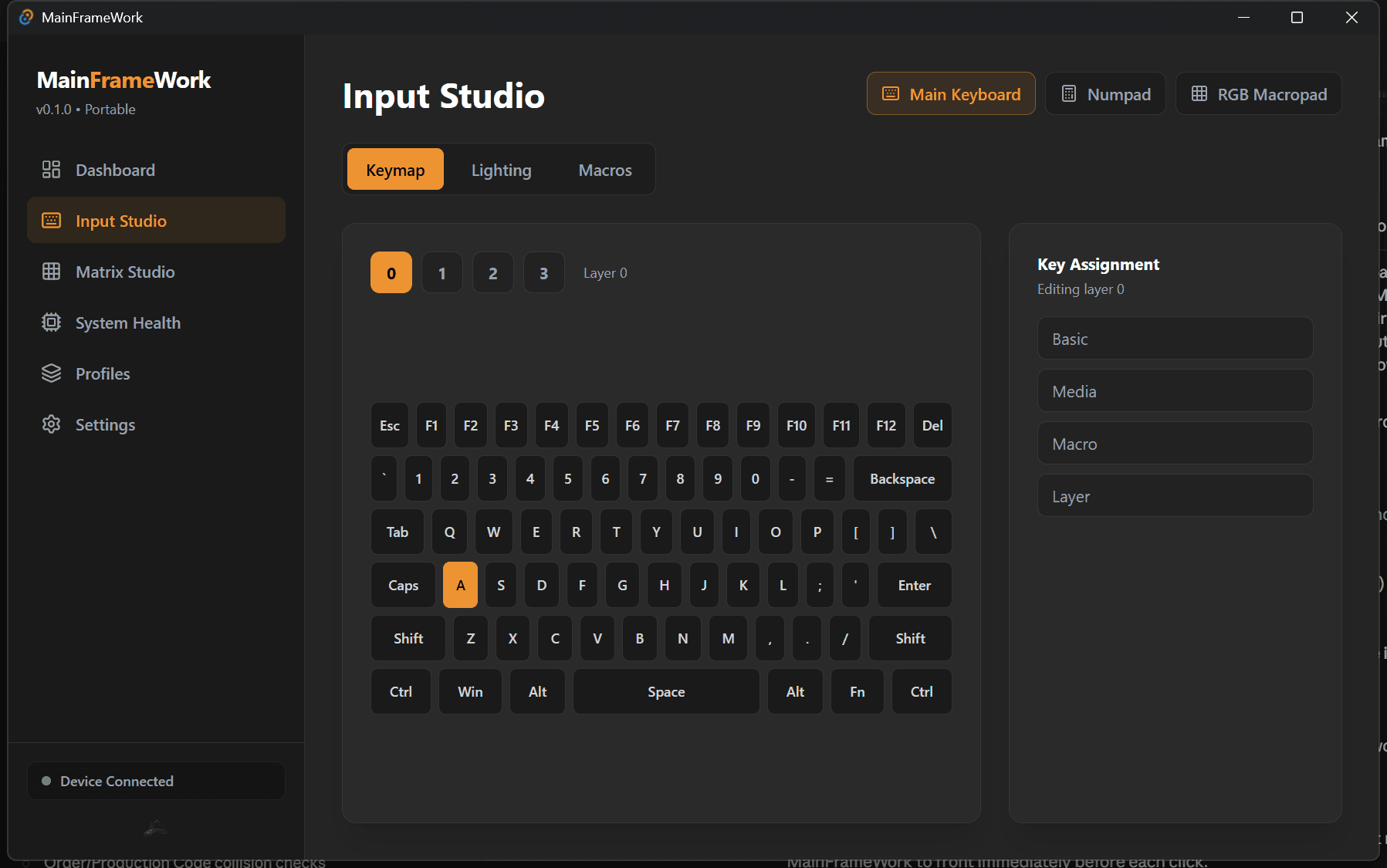
Matrix Studio: the LED matrix deserves better than a browser tab.
Draw, animate, and widget-ize your 9x34 LED Matrix modules — left and right panels, independently addressable.
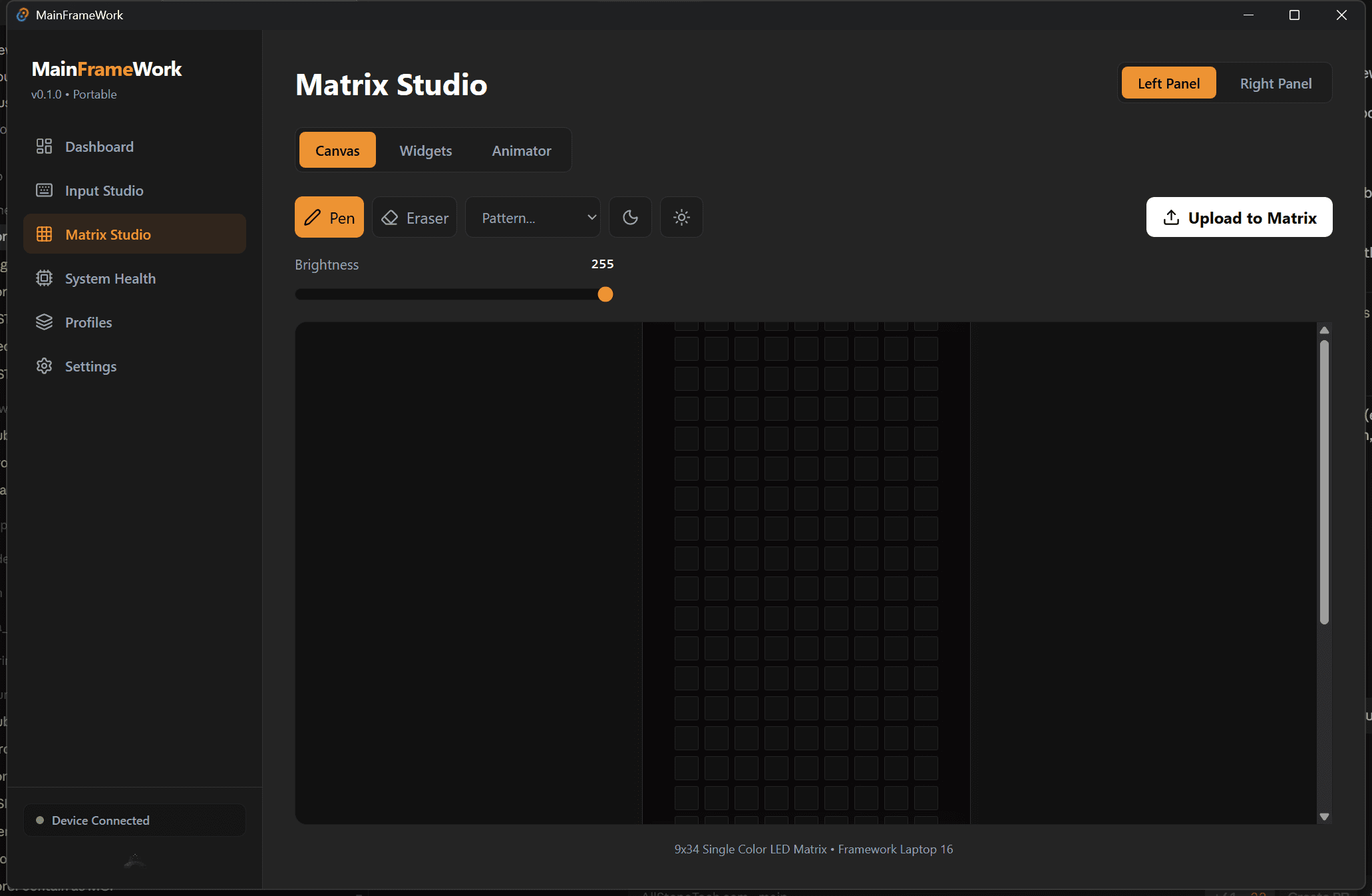
Canvas — pen, eraser, patterns, brightness
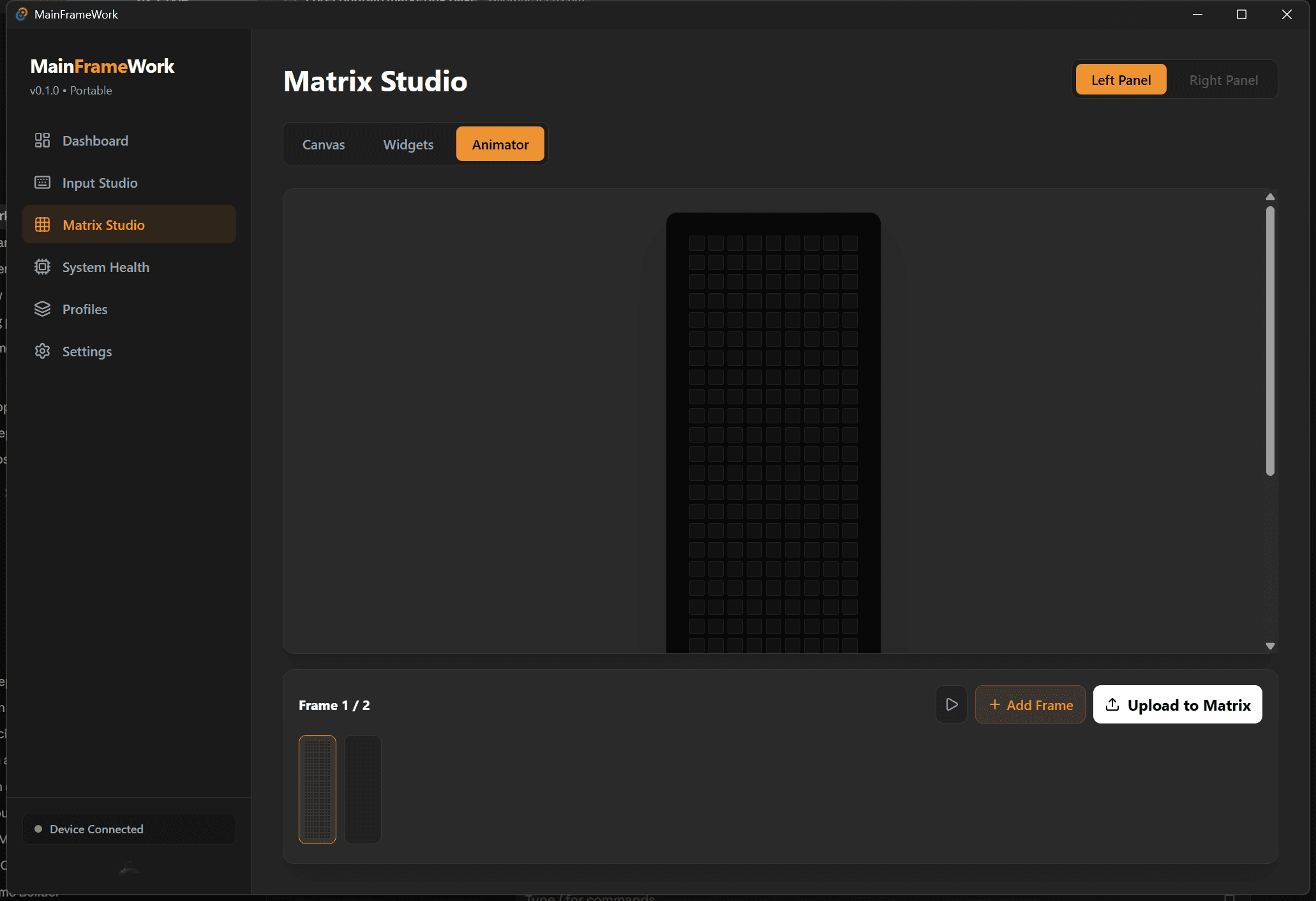
Animator — multi-frame, scrub, upload to matrix
What's verified working, and what's still UI.
Matrix Studio (drawing, animation) and keyboard RGB lighting are verified working against real hardware. A few other things in the app are further along than a mockup, but aren't wired up yet:
- Keymap remapping & Macros — the editor and macro list exist, but aren't connected to the real keycode matrix or macro protocol yet.
- Numpad & RGB Macropad — their USB PIDs aren't confirmed yet, so they show up as "Unknown" instead of by name, with no independent control yet.
- Widget library (Matrix Studio) — a layout composer for Clock/Battery/CPU/Audio EQ widgets that doesn't push a live render to the matrix yet.
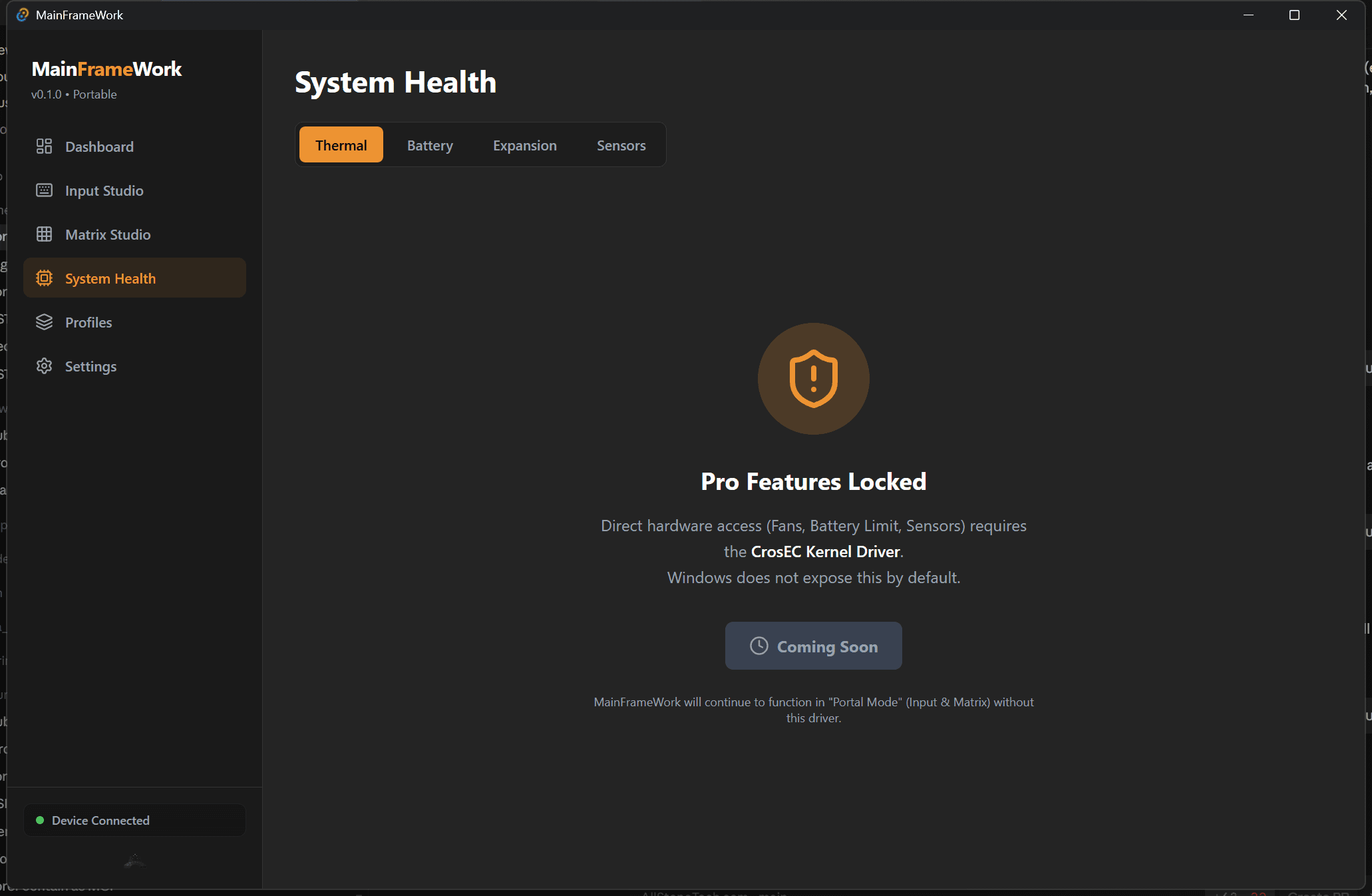
Direct EC (embedded controller) access — fan curves, battery charge limits, thermal sensors — is real, working code on Linux today: written, type-checked, and passing CI against /dev/cros_ec, no driver install needed. It just hasn't been run against real Linux hardware yet, since this project's dev machine is Windows — bug reports and confirmations from real hardware are welcome.
On Windows, it's not just unbuilt — it's blocked. The only EC driver available for Windows isn't signed for normal use and requires disabling Secure Boot to load, so MainFrameWork won't automate installing it. See the project's SECURITY.md for the full reasoning.
Without that driver, MainFrameWork still runs in what it calls Portal Mode — Matrix Studio and keyboard lighting fully live, System Health along for the ride once Linux gets confirmed or Windows gets an EC path that doesn't require disabling Secure Boot. That's not a downgrade hack; it's the actual current state, and we'd rather tell you that than ship a fake fan slider.
For when Portal Mode isn't enough.
Pro is real, scoped, and visible in-app right now — it's just not switched on yet. Here's what unlocks when it is.
Unlimited Profiles
No 3-profile cap.
Cloud Sync
Profiles follow you between machines.
Lua/JS Macro Scripting
Real logic and loops, not just keycodes.
GameSense
Health/ammo on the matrix for CS2, Dota, and more.
EC Hardware Access
Fan curves, battery limits, sensors — once the CrosEC driver ships.
Auto-Profile Switching
Already visible in Community as manual profiles; Pro automates it fully.
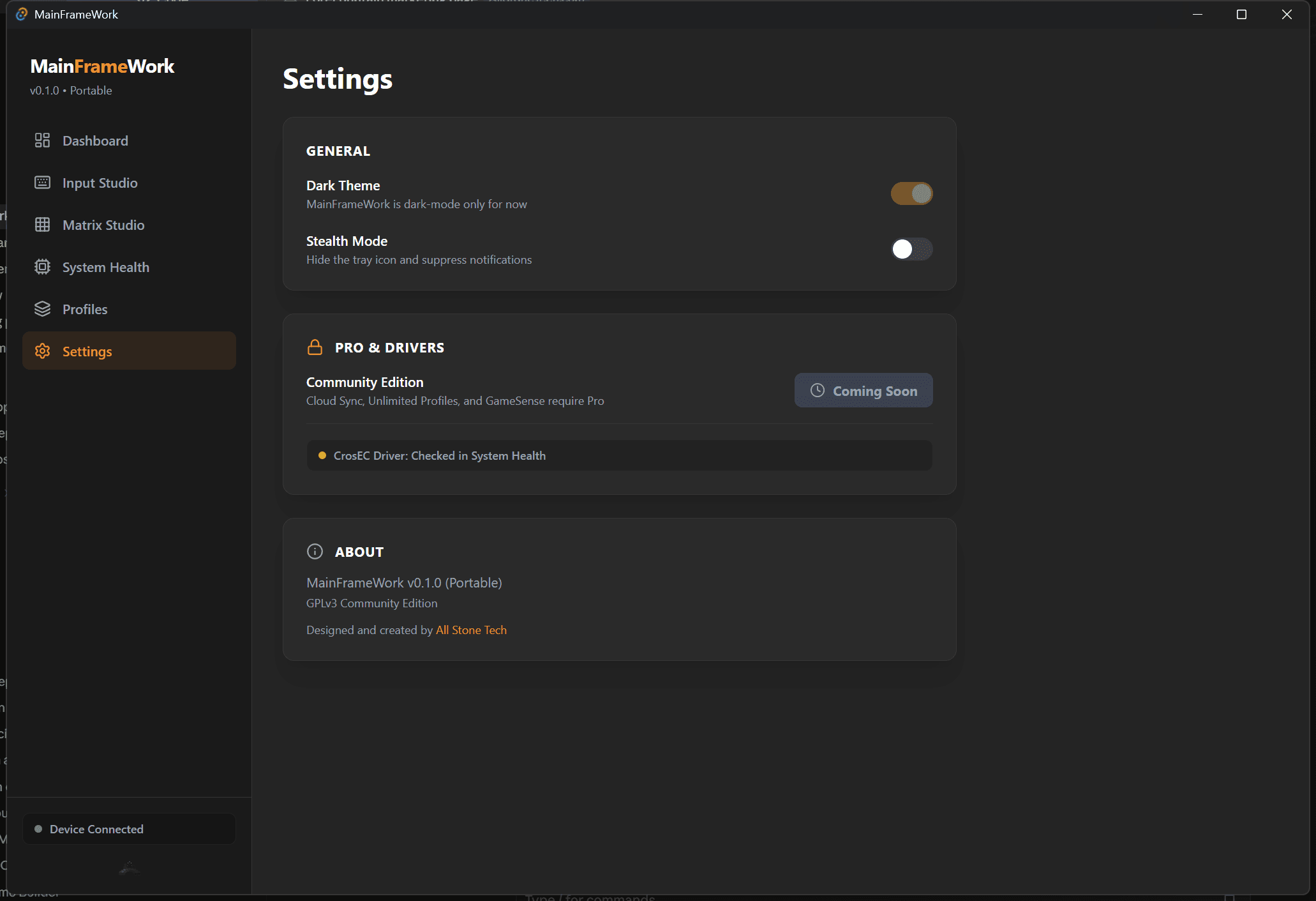
Community Edition stays free and GPLv3 forever, no matter what Pro costs when it ships.